
Brick Review (2026): How I Reduced My Screen Time
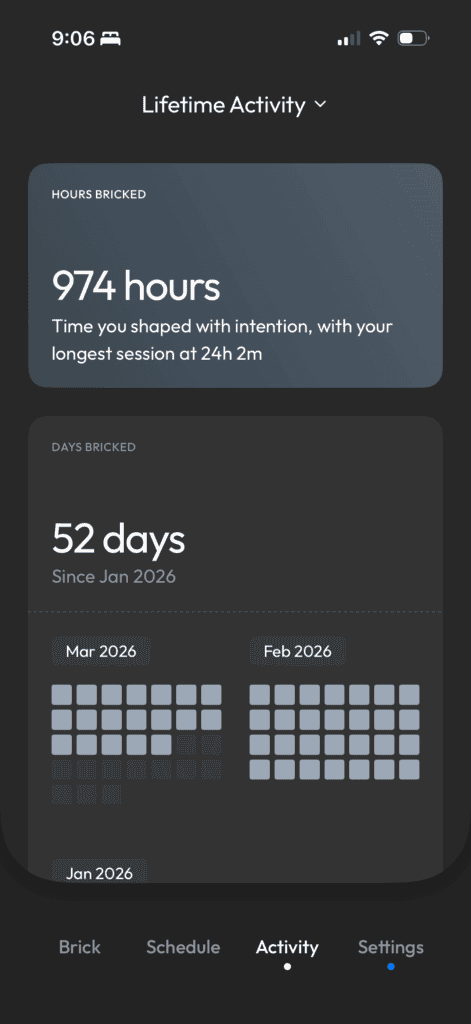
If you’ve ever tried to spend less time on your phone, you know how quickly it can spiral. I’ve been using Brick (a phone-blocking device), and it’s made me realize just how often I get sucked in without even noticing. I’ll pick up my phone to do one thing, and suddenly I’m hopping between five different apps and completely lose track of time.
I used to be pretty good about not spending too much time on my phone. But ever since I started using Instagram for work…it’s a different story.
I’d go on with a clear intention, but then I’d get distracted. I’d start scrolling, check something else and before I knew it, waaaay more time had passed than I meant to.
So after I kept seeing ads for Brick on Instagram (lol) I finally bit the bullet and decided to buy one as a New Year’s gift to myself. And now that I’ve been using it pretty consistently, I figured I’d share what it’s actually like to use it!
In this review of the Brick device, we’ll talk about how it fits into my day-to-day, the pros and cons I’ve noticed, and whether I think it’s worth it.
P.S. I became an affiliate because I genuinely love the Brick so if you want to try it out, this link gives you 10% off!
What Is the Brick Phone Locking Tool?
Okay, so what actually is Brick?
It’s basically a small physical device that fits in the palm of your hand that lets you block apps on your phone. It also has a magnet, so you can keep it somewhere convenient like on your fridge (aka where I keep mine).
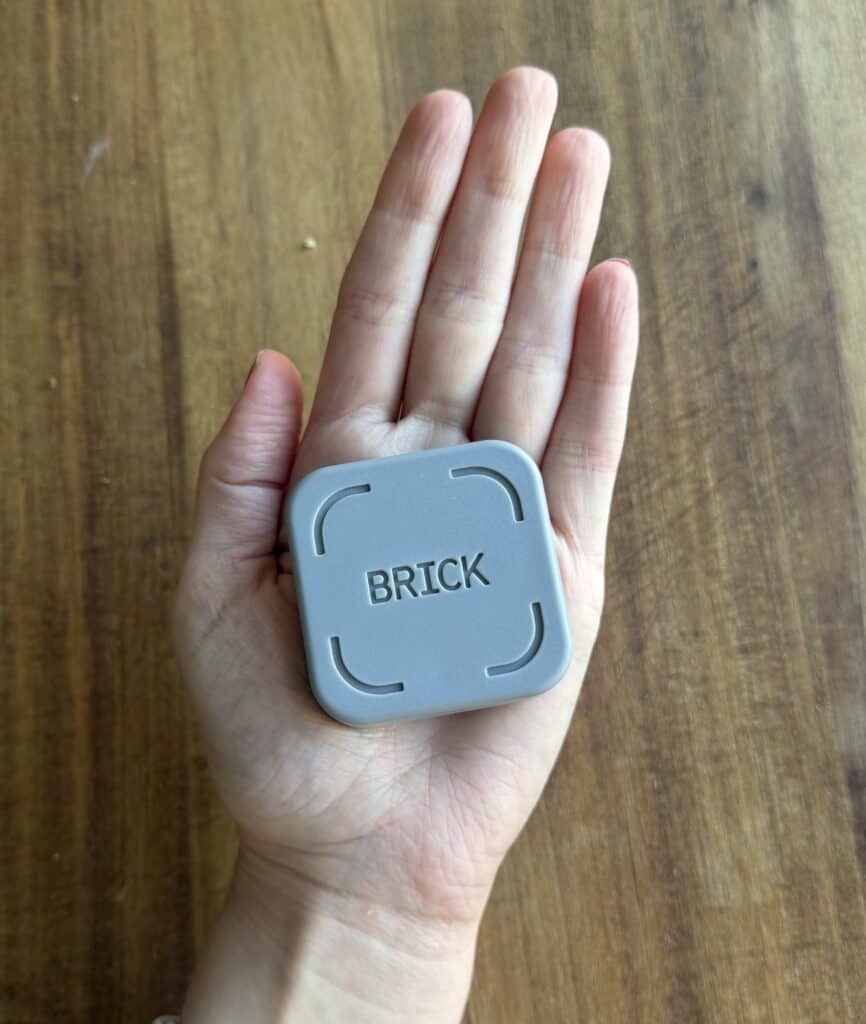
So how does it work? You simply tap your phone to the Brick to “lock” it, and once it’s activated, the apps you chose become inaccessible.
What I like about it is that it’s not just another app or timer you can ignore. If you want to unlock everything, you have to physically go back to the Brick and tap your phone again.
You can also set it up on a schedule which I’ve found really helpful. For example, I have mine set to turn on at 7:30 every night, so it just activates automatically without me having to think about it.
It sounds small, but that extra step actually makes a biiiiig difference. It adds just enough friction where you pause for a second and think, “wait, do I actually need to be on this right now?” And spoiler alert, the answer is usually no.
Also, it’s $59, which feels pretty reasonable for something you’ll use every day. That said, I get why it can be hard to justify. Like shouldn’t I just be doing this on my own anyway? But having that little nudge actually works.
And sometimes, you know what, that’s worth the cost!
Setup & Getting Started
When you first get the Brick, the setup is actually really simple.
You download the app, connect it to your phone, and from there you choose which apps you want to block. You can fully customize this, which I like. You’re not locking your entire phone, just the specific apps that tend to suck you in. And for me? It’s things like Instagram, TikTok, the usual culprits lol.
It’s super straightforward once you get it setup. You just tap your phone to the Brick to activate a “lock,” and as soon as it’s on, those selected apps are completely inaccessible.
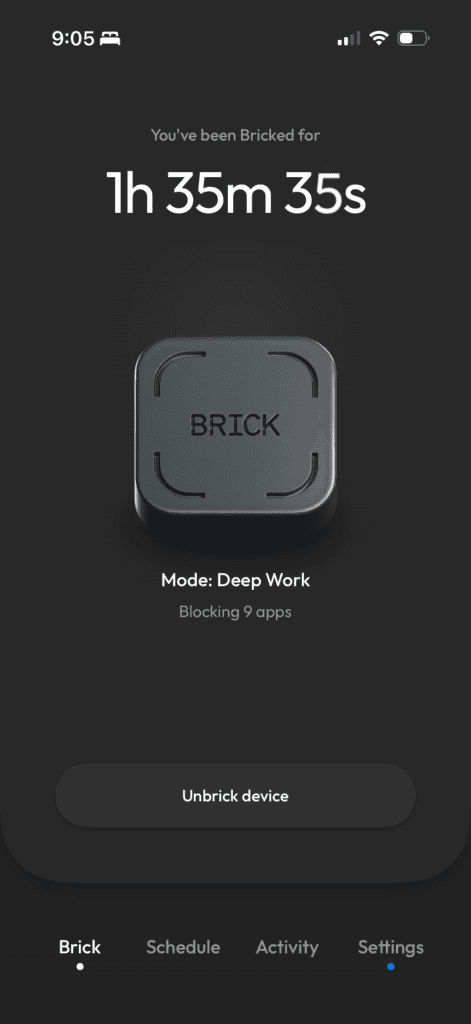
To unlock them, you can’t just tap a button on your phone, you actually have to go back to the Brick and tap your phone again. It adds that extra step that makes you pause instead of just opening something out of habit. And honestly, getting up off the couch to go tap it is way harder than just hitting “ignore” on a screen time limit.
There are also different ways you can set it up depending on how you want to use it. You can manually turn it on whenever you want (like during a work block), or you can schedule it ahead of time.
For example, I have mine set to turn on automatically at 7:30 every night, so I don’t even have to think about it. It just locks in for the evening.
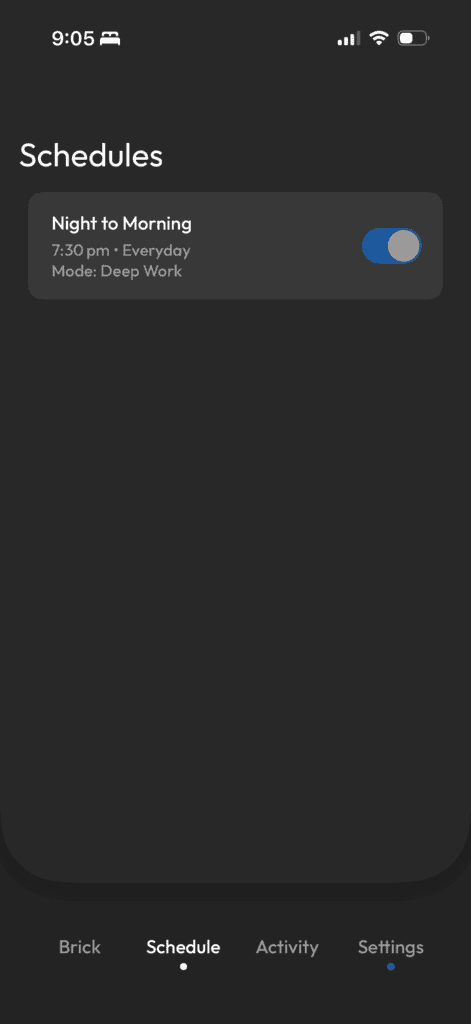
You can also create different “modes” with different app blocks depending on what you need. So you could have one setup for work, another for mornings, another for evenings, etc., which makes it feel a lot more flexible and realistic to actually stick with.
And if you’re wondering what happens if you lose it or don’t have it nearby? You do get 5 emergency “unbricks.” But because there’s a limited number, you’re way less likely to use them just to scroll, which I actually think is really smart.
Overall, it’s really easy to use and the physical aspect of it is what makes it feel different from anything else I’ve tried.
My Experience Using It
I’ll be honest, getting something like this felt a little… silly. Like, do I really need a physical device to stop using my phone?
Apparently yes I do…
Since after just a few months, it’s made a way bigger difference than I expected. But before getting into the pros and cons, I want to share a bit about how I actually use it day-to-day.
I keep my Brick on my fridge since it has a magnet, and it’s honestly kind of perfect there. If I need to post something or quickly go on an app, I’ll just walk over, stand there, post what I need to post, and then tap it again to lock everything back up.
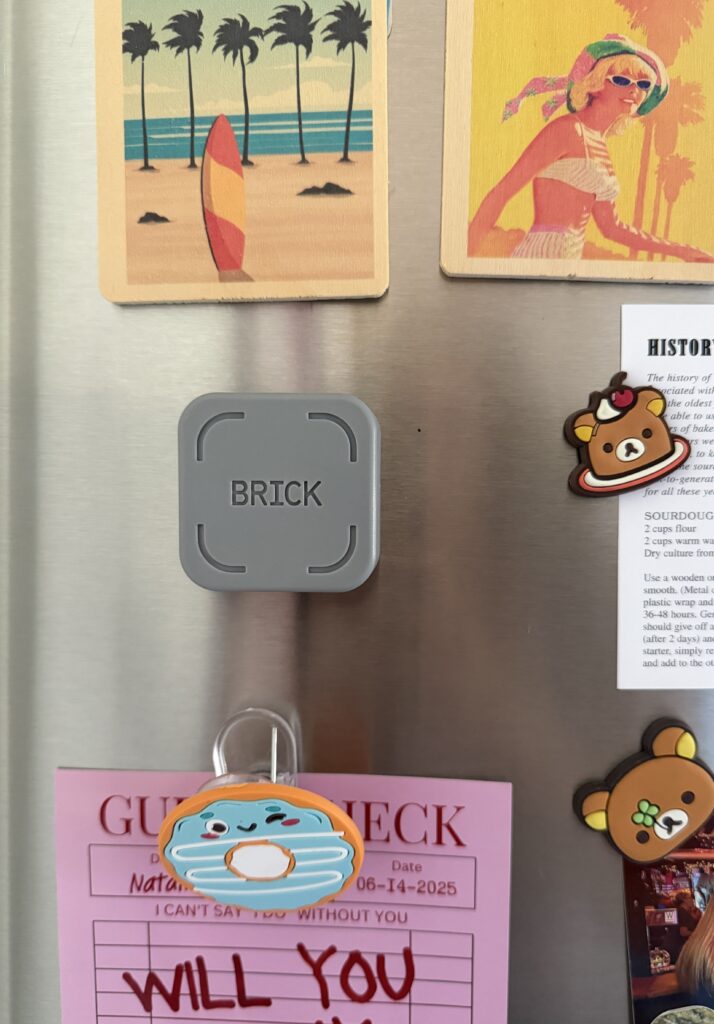
It sounds a little ridiculous, but it works so well.
I use my laptop more
If I need to respond to comments, messages, or do anything more involved, I’ll just do it from my laptop. And because I can’t default to my phone as easily anymore, I naturally started using my laptop more for things like uploading content, responding to messages, and planning posts.
And I just don’t get sucked in the same way.
On my phone, everything is designed to keep you scrolling. And one thing leads to another and suddenly you’ve lost so much time. But on my laptop, I’m waaay more intentional. I do what I need to do and then done!
It also just feels better physically. Less eye strain and less overstimulation make it a much calmer way to work.
No morning or nightime doomscrooling
Another small thing that’s actually made a big difference is that I can’t go on my phone in bed anymore.
I didn’t do this all the time, but there were definitely mornings where I’d grab my phone “for a second” and then suddenly I’m scrolling before I’ve even gotten up.
Now that’s basically not an option. I have to physically get up and go to the Brick to unlock them and I’m just absolutely not doing that half asleep.
My mornings feel sooo much calmer with this change! Now I get up, make coffee, start my routine, all without being pulled into everything online.
Alright, alright. Let’s get into the exciting stuff aka the pros and cons!
Pros
It Actually Changes Your Behavior
Honestly, this is the biggest win. Most tools rely on willpower and that’s not always reliable when it comes to your phone. Brick works differently. The simple tap to lock or unlock adds just enough friction to make you pause. And 9 out of 10 times that pause prevents me from continuing to scroll. I’ve also gotten into the habit where if I am scrolling, I recognize it, and just go Brick my phone.
The Size Is Perfect
It’s small, fits in your hand, and has a magnet, so I stick mine on the fridge or my desk. It’s easy to reach, easy to see, but not so tiny that I lose it in my bag or under papers.
Encourages Better Work Habits
As I mentioned, since I can’t just default to my phone, I’ve started using my laptop more for posting, replying to messages, and planning content. I get way more done, stay focused, and somehow feel less drained at the end of the day. I’ve pretty much stopped using the social media apps for YouTube and Substack completely, everything can be posted on my laptop! Honestly, I didn’t realize how much I didn’t like using the apps until I started using Brick. Things just feel better when I can see everything clearly on a bigger screen.
Cons
I Wish It Worked Across Devices
Phones are a big distraction, but they’re not the only one. I’d love it if Brick could also work on laptops, iPads, or other devices. That would make it next-level. As it is, it’s amazing for phones, but it doesn’t completely solve the distraction problem for anyone who works across multiple screens.
You Have to Be Intentional About Using It
This isn’t some passive magic tool. You have to tap it, set it up, and actually make it part of your routine. For me, that was easy, I’m someone who thrives on routine. But I can see how it might be inconvenient for someone who’s constantly on the go. If you need to carry it around or want flexibility to block/unblock apps on the fly, that extra step could feel like a hassle at times.
Sometimes You Forget You Needed an App…
I have my mail app blocked because I have a bad habit of constantly checking it. But today I went to do some returns and the return labels were in the mail app (whoops!). Thankfully, I knew my store account passwords and was able to log-in from there buuuut I totally forgot my automatic Brick lock was on for the night.
For someone like me, it was just a minor hiccup, but I could see how it might get frustrating if you’re constantly on the go. You don’t always have time to stop, find an alternate way in, or use one of your limited emergency “unbrick” moments. In those situations, that little extra step could feel like a hassle instead of a helpful pause.
Who It’s Best For
I think Brick is especially helpful for a few types of people! So let’s break it down…
If you have to use social media for work and end up getting sidetracked, this is a game-changer. One quick scroll can turn into twenty minutes, or more, of getting lost in apps. Brick interrupts that loop and gives you just enough pause to stay focused on the task at hand.
It’s also amazing if you want to be more present during your daily routines. Whether that’s before bed, morning coffee, walks, or even just hanging out at home, you can have it automatically go on during these times.
And finally, it’s perfect if you like the idea of a physical tool rather than just another app. I feel like apps can be easy to ignore or override. But, Brick adds a little friction in a way that feels different since you have to physically tap your phone to lock or unlock it.
In short, if your phone is constantly pulling you away from work, life, or just being present and you’re looking for a simple, physical way to regain control this is definitely worth trying.
Who It’s NOT For
While I love Brick, it’s not going to be a fit for everyone. If you’re someone who rarely gets distracted by your phone or already has strong boundaries in place, this might feel a little unnecessary. It’s a tool designed to interrupt habits, so if your habits are already under control, it won’t really add much.
It’s also not ideal if you’re constantly on the go and need total flexibility. I think Brick works best when you can keep it in a consistent spot, like on your fridge, desk, or nightstand. If you’re hopping between coffee shops, traveling, or moving from place to place all day, having to bring it with you might be more annoying than helpful.
Another thing to consider is that it only works on your phone. If your distractions mostly happen on a laptop, tablet, or other devices, Brick can’t help there.
Finally, if you’re not willing to build it into your routine, it’s not going to magically work in the background! You do have to tap it, set up blocks, and use it consistently. For someone who wants a completely passive solution, that might feel like an extra step.
Overall Thoughts
Honestly, I went into this a little skeptical. I was worried Brick would be one of those gimmicky tools that ends up forgotten in the back of a drawer somewhere, never to be touched again…
But for me? It’s been surprisingly different. It’s simple, and it actually works! I’ve started carving out these little pockets of time where I’m focused, actually present, and not constantly pulled into my phone. It’s wild how much of a difference it makes when you can stop that automatic scrolling loop. It makes my day feel waaaay less hectic, more intentional, and calmer.
Even just walking over to the Brick, tapping it, and locking my apps has become this tiny little pause that actually makes a difference. It’s kind of funny when you think about the fact that this little device actually changes the way I use my phone.
It’s simple, but honestly, it works way better than I expected!
Whether it’s using a tool like Brick, relying on app limits, or just setting your own boundaries, I’d love to know what’s worked for you!
And if you’ve been thinking about trying the Brick, drop any questions or thoughts in the comments, I’d love to hear them! And as a reminder, you can use this link to get 10% off.


